Equation Editor for Google Slides
Google Slides has no built-in equation editor. Paste LaTeX, preview it instantly, and insert editable formulas into any slide in seconds — then edit them anytime.
How to insert an equation in Google Slides
Four steps to add a formula to Google Slides — the same paste, preview, insert, and edit flow you get in Google Docs.
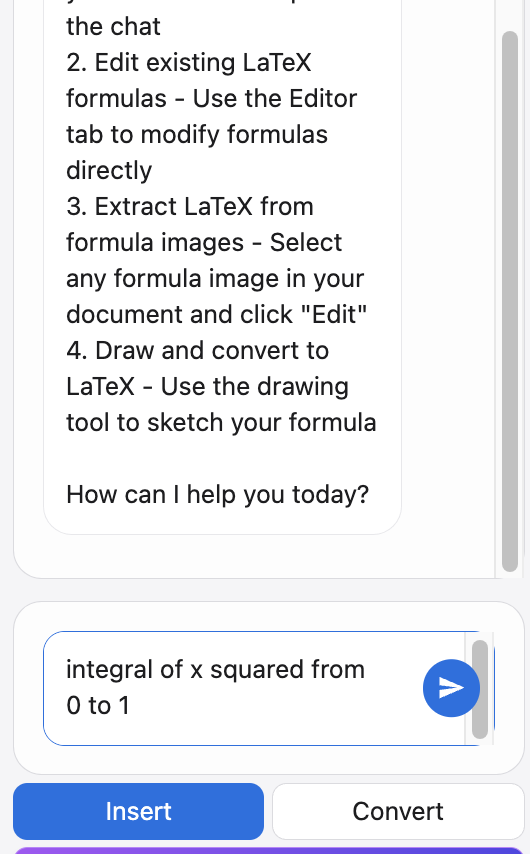
Open the editor in Google Slides
Install LaTeX4Docs from the Google Workspace Marketplace and open the equation editor from the add-on menu inside any presentation.
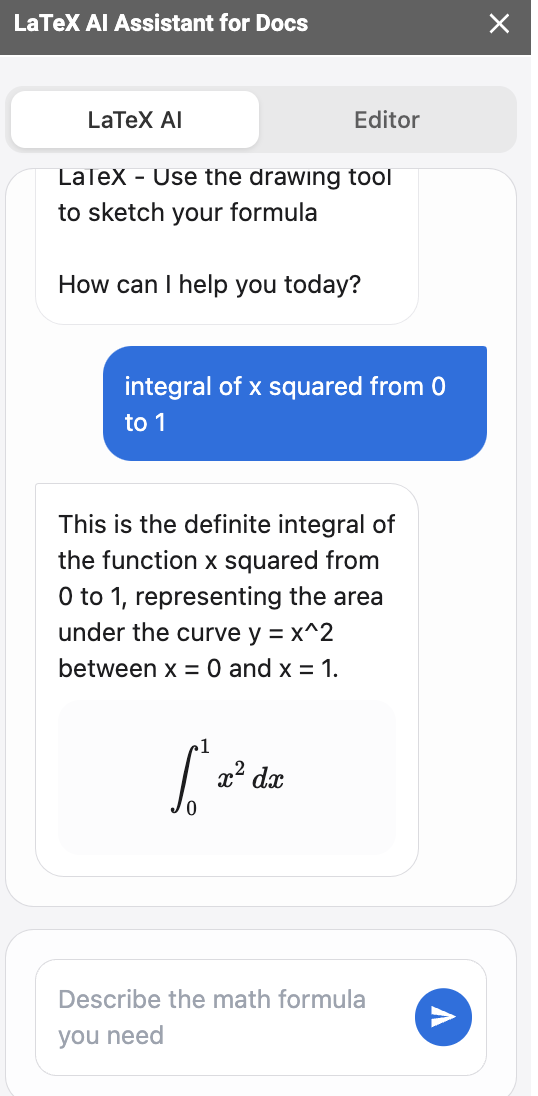
Paste or type your LaTeX
Paste a formula from ChatGPT, a paper, or your notes — or type it directly. No LaTeX experience? Describe it and let optional AI write it.
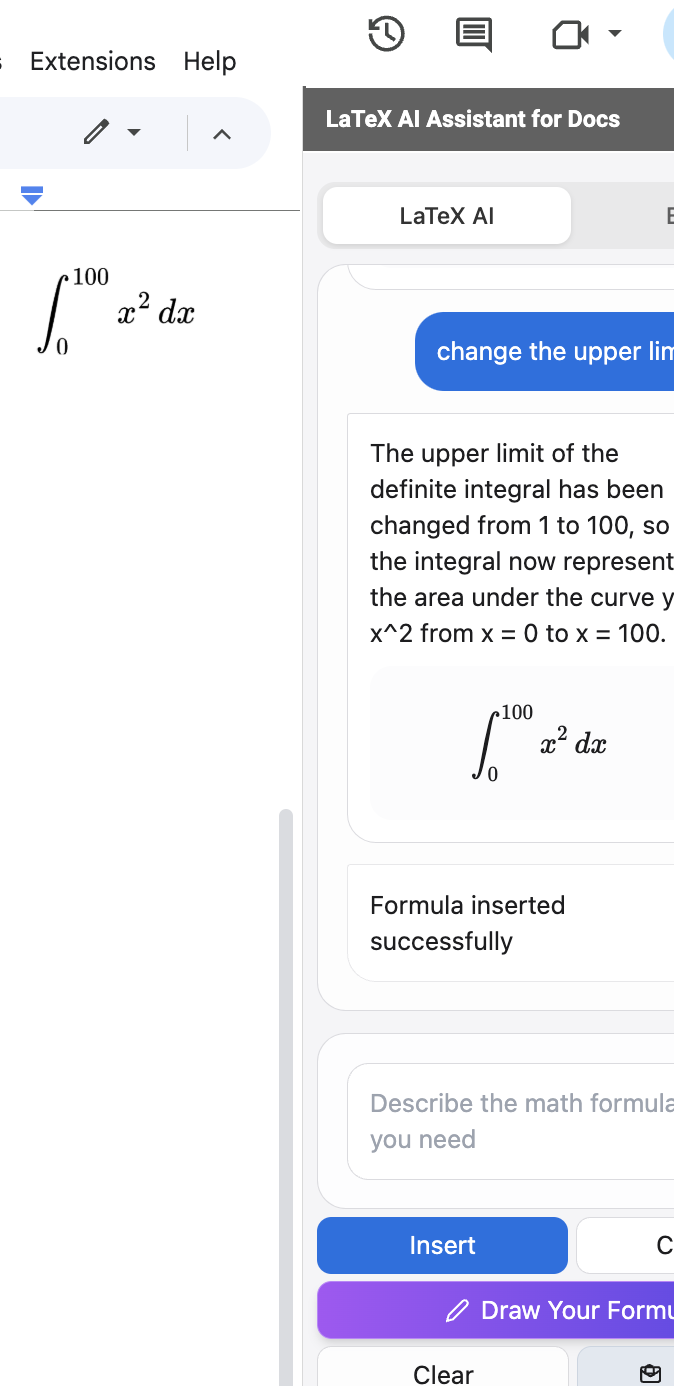
Insert the equation into your slide
Preview the formula in real time and click Insert to drop a crisp equation image onto the current slide, ready to position and resize.
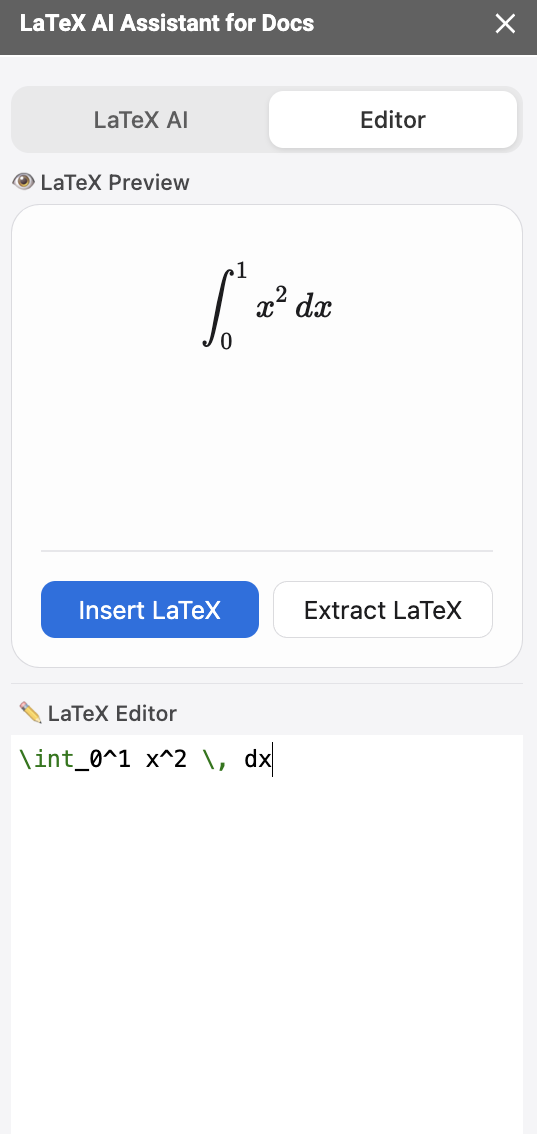
Edit or update it later
Select an inserted equation, reopen it in the editor, change the LaTeX, and click Update. The formula on your slide refreshes in place.
Why add formulas in Google Slides with LaTeX4Docs
Real LaTeX in Google Slides
Google Slides has no built-in equation editor. LaTeX4Docs brings full LaTeX — fractions, integrals, matrices, Greek — to every slide.
Editable, not flattened
Formulas stay editable. Reopen any equation on a slide and update the LaTeX instead of rebuilding it from scratch.
One tool for Docs & Slides
The same editor works in Google Docs and Google Slides, so your equation workflow is identical across documents and presentations.
Google Slides equation FAQ
How do I insert an equation in Google Slides?
Install LaTeX4Docs, open the equation editor from the add-on menu in Google Slides, paste or type your LaTeX, preview it, and click Insert. The formula is added to the current slide as an editable image.
Does Google Slides have an equation editor?
Google Slides does not include a native equation editor. LaTeX4Docs adds one, letting you insert and edit LaTeX formulas directly in your presentation.
Can I add a formula in Google Slides from LaTeX?
Yes. Paste any LaTeX and the editor renders it as a clean equation image you can insert into a slide, then reposition and resize like any other image.
Can I edit an equation after adding it to a slide?
Yes. Select the inserted equation, reopen it in the editor, edit the LaTeX, and click Update to refresh the image on the slide.
Does it work in both Google Slides and Google Docs?
Yes. The same equation editor supports both Google Slides and Google Docs, with the same paste, preview, insert, and update workflow.
Add your first equation to Google Slides
Paste LaTeX, preview, and insert editable formulas into your slides in seconds. Free to install.
Add to Google Slides — Free